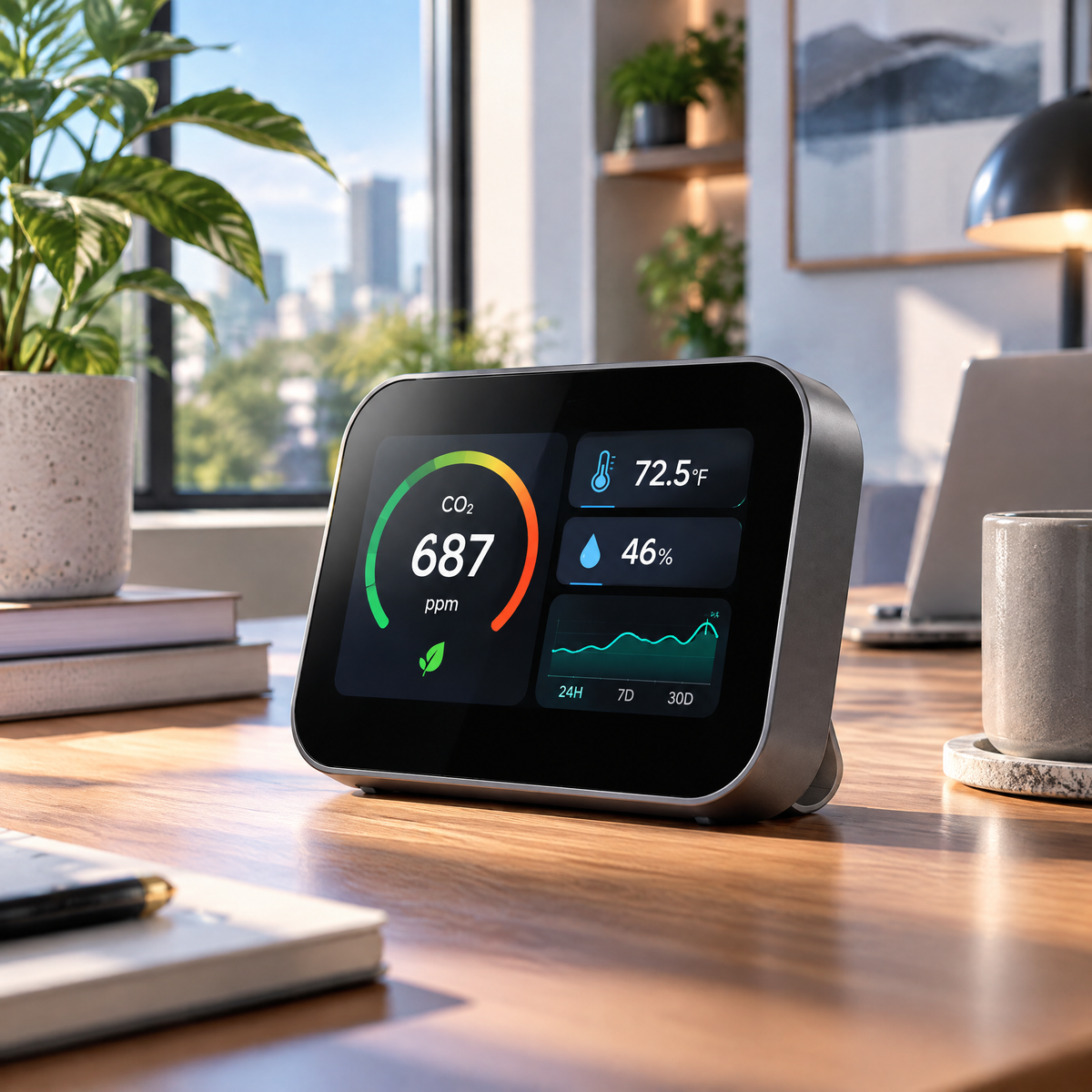
Hosiezc™ AirMetric Indoor Environment Monitor
Hosiezc™ AirMetric Indoor Environment Monitor
Couldn't load pickup availability
AirMetric Indoor Environment Monitor
A desktop environmental monitor that brings CO₂, temperature and relative-humidity readings together on one clear color display. AirMetric is designed to help users observe how ordinary indoor conditions change through the day without presenting the device as a medical or life-safety instrument.
Thoughtful function, refined into a cleaner form.
Hosiezc™ pairs practical smart-home functions with a restrained silver-blue visual language, simple controls and specifications suited to everyday U.S. household use.
CO₂ Monitoring
Displays carbon-dioxide concentration in ppm for general indoor environmental awareness.
Temperature Sensor
Tracks room temperature with selectable °F or °C display.
Humidity Sensor
Displays indoor relative humidity as % RH.
Trend View
Review changes over time instead of relying only on a single momentary reading.
Color Display
Presents several measurements together without requiring a phone for basic viewing.
Rechargeable Battery
Allows temporary cordless placement around the home between charging sessions.
What’s built into this model
- CO₂ display: ppm
- Temperature: °F / °C
- Relative humidity: % RH
- Display: color LCD
- Charging: USB-C, 5V
- Battery: integrated rechargeable
- Approx. size: 4.2 × 3.1 × 1.0 in
- Indoor use only
Made for real rooms, not exaggerated claims.
Product performance depends on placement, operating conditions, maintenance and the environment in which the product is used. Hosiezc™ describes intended household functions without presenting ordinary smart-home products as medical, professional, life-safety or guaranteed-performance equipment.
Read before use
For general household environmental monitoring only. AirMetric is not a smoke detector, carbon-monoxide alarm, medical device, life-safety device or laboratory instrument. A CO₂ monitor must never replace a listed carbon-monoxide alarm; CO₂ and carbon monoxide (CO) are different gases.
Setup & everyday use
-
01
Fully charge the monitor before first use.
-
02
Power on and select °F if preferred.
-
03
Place the monitor around normal occupied-room height on a stable surface.
-
04
Keep it away from direct HVAC airflow, open windows and a person's immediate breathing zone when seeking representative room readings.
-
05
Allow the sensor to stabilize after moving it.
-
06
Review current readings and available trends.
-
07
Recharge by USB-C as required.
Share